Humidifier Leaves White Dust: Water Minerals, Filters and Options
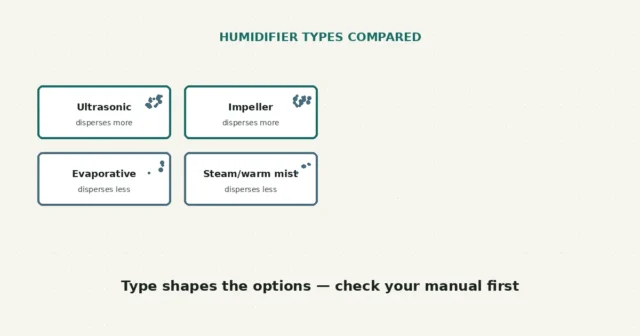
White dust is often associated with minerals dispersed by ultrasonic or impeller humidifiers, per EPA guidance, though appearance alone cannot…
A dehumidifier that runs but collects little or no water usually means the surrounding conditions aren’t right for effective moisture removal, or something in the airflow or drainage path needs attention — not necessarily that the unit itself has failed. Room temperature, current humidity, the humidity set point, and airflow all play a role, and none of them can be ruled in or out just by watching the bucket.
Check the room temperature and current humidity first — dehumidifiers generally work less effectively in cooler rooms and struggle to remove moisture from air that’s already fairly dry. Then confirm the humidity set point is actually below the current reading, the bucket is seated correctly, the filter is clean, and nothing blocks the intake or outlet. If all of that checks out and the unit still isn’t collecting water, that’s a reasonable point to contact the manufacturer.
A dehumidifier pulls moisture from the air passing through it, and how much moisture it can pull depends heavily on conditions outside its control: how humid the room already is, how warm the room is, and where the humidity set point is relative to the current reading. According to ENERGY STAR guidance, a dehumidifier also slightly warms the space around it as it operates — noticing warmth near the unit is expected, not a malfunction. Manufacturer manuals describe minimum operating temperatures and other operating limits that vary by model, so there’s no single number that applies to every dehumidifier.
This guide separates several things that are easy to lump together: ambient humidity, room temperature, the set point, fan and compressor cycling, bucket seating, drain setup, filter condition, and airflow clearance. Each is worth checking on its own rather than assuming one explains everything.
| What you observe | What it may suggest | Reasonable next step |
|---|---|---|
| Room feels cool or a thermometer reads low | Many dehumidifiers work less effectively, or have a minimum operating temperature, in cooler conditions — check your manual for your model’s stated range | Compare your room temperature against your manual’s operating range before assuming a fault |
| Room already feels fairly dry, or a hygrometer reads low | Less moisture available in the air means less for the unit to collect, even if it’s working correctly | Reassess after conditions change, such as after cooking, showering, or weather shifts |
| Humidity set point is at or above the current room reading | The unit may cycle off because it detects the target is already met | Lower the set point and observe whether the unit resumes actively collecting water |
| Fan runs but seems to cycle on and off quickly | Could be normal defrost behavior on some models, especially in cooler rooms — this varies by model | Check your manual’s description of defrost or cycling behavior for your specific unit |
| Bucket doesn’t seem to be filling despite running for a long time | May involve the float switch, bucket seating, or a blocked drain rather than the compressor itself | Recheck bucket seating and drain routing before assuming an internal fault |
Treat this as a way to narrow down where to look, not a confirmed diagnosis — several of these conditions can overlap, and appearance alone doesn’t tell you which is dominant.
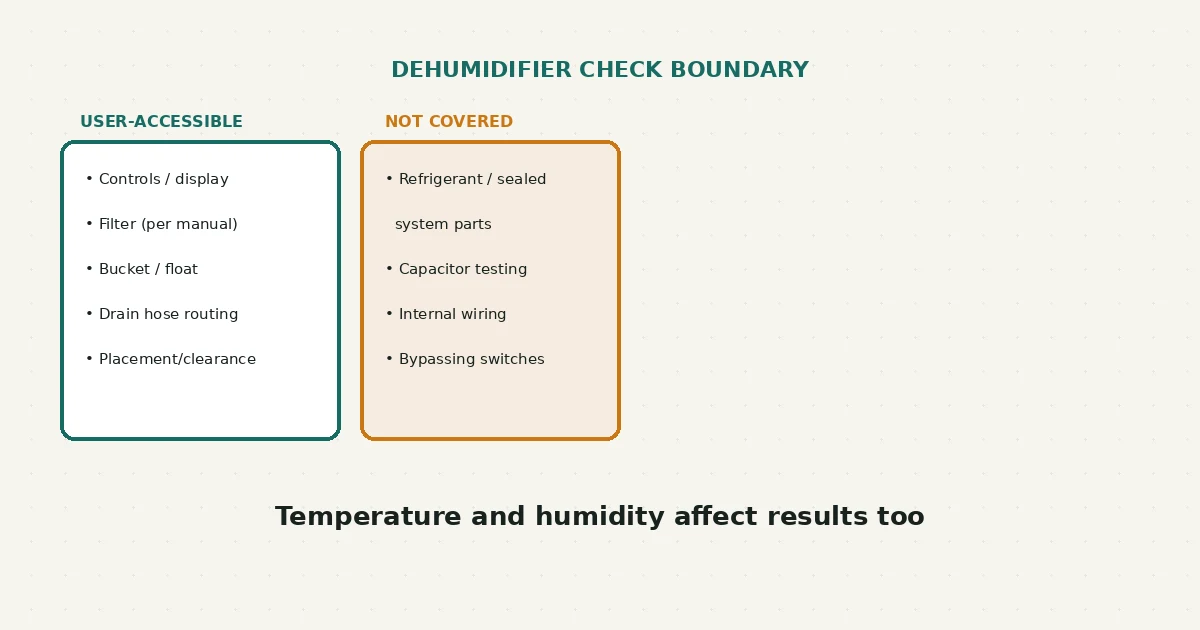
This guide covers controls, display and error codes, the accessible filter, the bucket and float only where the manual permits inspection, visible drain hose routing, nearby doors and windows, and placement and clearance. It does not cover opening panels, refrigerant or sealed-system parts, capacitor testing, internal wiring, bypassing the bucket switch, or tilting a running unit. This guide also does not use expected bucket volume as proof of efficiency or promise energy savings; ENERGY STAR guidance is cited only where it directly supports a statement made here.
Yes — per ENERGY STAR guidance, a dehumidifier slightly warms the surrounding air as it removes moisture, so warmth near the unit on its own isn’t a sign of malfunction.
This guide doesn’t prescribe one figure for every home — general guidance on indoor humidity commonly discusses a range depending on season and climate, but your comfort, your home’s construction, and your specific unit’s manual all factor in. Set a target and observe how your space responds rather than assuming a single number applies universally.
This can be normal defrost cycling on some models, particularly in cooler conditions, but the specifics vary by model — check your manual’s description of your unit’s cycling behavior before assuming a fault.
Capacity ratings describe performance under specific test conditions, not a guarantee for every room and situation — actual collection depends on the room’s temperature and humidity as much as the unit’s rated capacity.
If you’re managing moisture in more than one way, this humidifier white-dust guide covers a related manual-first approach for the opposite kind of appliance. And if a bathroom exhaust fan in a humid area of the home seems underpowered, this bathroom fan airflow guide may be relevant too.
New to RFSE? See how to approach any RFSE guide safely, or browse the full Air & Comfort hub for more guides like this one.
This guide is based on official ENERGY STAR guidance and manufacturer documentation current as of publication. Operating temperature ranges, defrost behavior, and set-point logic vary by model — always confirm details against your exact dehumidifier’s manual.
White dust is often associated with minerals dispersed by ultrasonic or impeller humidifiers, per EPA guidance, though appearance alone cannot…
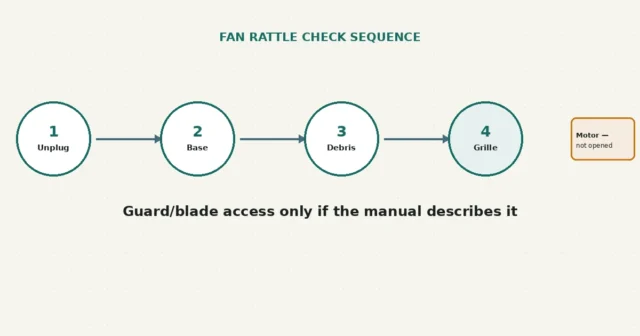
A rattle may relate to accessible dust, grille fit or base contact, but sound alone cannot identify the motor condition.…
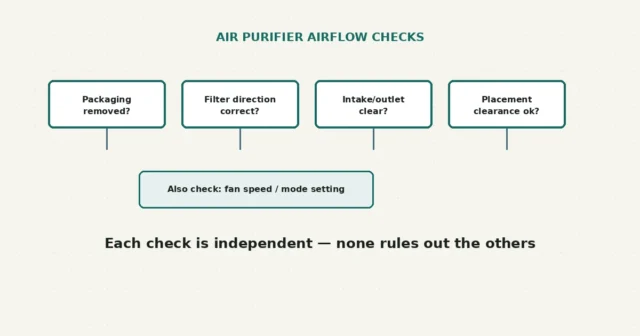
Check removable packaging, filter orientation, vent clearance and placement against the exact manual. Felt airflow does not prove filtration performance…