Humidifier Leaves White Dust: Water Minerals, Filters and Options
White dust is often associated with minerals dispersed by ultrasonic or impeller humidifiers, per EPA guidance, though appearance alone cannot…
A rattling portable fan usually points to something simple — dust thrown off-balance on the blades, a loose front grille, debris caught inside, or an unstable base — rather than a motor problem. Lasko’s own support guidance for its fans describes exactly this pattern: dust building up unevenly on the blades over time is a common cause, and cleaning and light tightening resolves it in many cases.
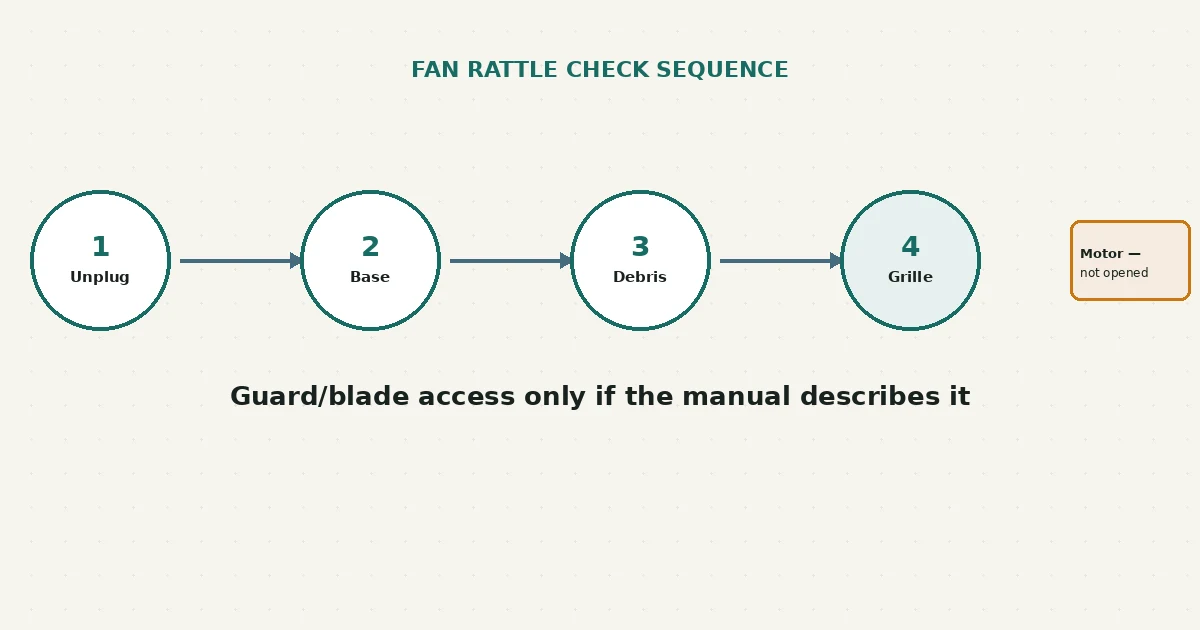
Unplug the fan first. Check that it’s sitting on a flat, stable surface, since a wobbly base can look and sound like a blade problem. Then check the front grille for looseness and look for visible dust buildup or debris. A rattle isn’t proof of a bearing, motor, or electrical fault by itself — work through the simpler causes first.
A rattle is a symptom, not a diagnosis. It can come from something touching the blade as it spins, dust that has built up unevenly and thrown the blade slightly out of balance, a grille or guard that has loosened and vibrates against the housing, loose fasteners, or a base that isn’t sitting flat. According to Lasko’s own troubleshooting guidance, dust accumulation causing blade imbalance and a loose front grille are both common, ordinary causes — not signs that something has failed.
This guide is limited to what a user can safely check from outside the motor housing: placement, the base, visible debris, the guard, and fasteners the exact manual identifies as user-accessible. It does not cover anything that requires opening the motor housing itself.
It also helps to separate a new rattle from one that’s always been there. A fan that has rattled slightly since new, at the same volume and pattern, is a different situation from one that developed a rattle it didn’t have before — the second pattern is more useful for narrowing down what changed, since you can often connect it to something specific, like when the fan was last cleaned or moved.
| What you observe | Possible explanation | Reasonable next step |
|---|---|---|
| Rattle only on certain speeds | Dust imbalance or a loose part that resonates more at certain fan speeds | Clean the blade and check fasteners at the speed where it’s most noticeable |
| Rattle that changes when you move or nudge the fan slightly | May point to base stability or surface contact rather than an internal issue | Move to a flat, stable surface and retest |
| Visible dust buildup on the blades, especially uneven coating | Common cause per manufacturer guidance — uneven dust can throw a blade slightly out of balance | Clean the blades per your manual’s guidance |
| Rattle traced to the front grille moving slightly | Loose grille attachment | Check and gently tighten fasteners your manual identifies as user-accessible |
| Rattle persists after cleaning and tightening accessible parts | May involve something inside the motor housing this guide doesn’t cover | Contact the manufacturer rather than opening the housing yourself |
A rattle pattern like these is a starting point for narrowing down where to look, not proof of a bearing, motor, capacitor, or electrical fault.
This guide covers placement, base stability, visible debris, external guard contact, and fasteners your exact manual identifies as user-accessible. It does not cover opening the motor housing, restraining a moving blade, bending blades or guards, oiling the motor, bypassing an interlock, probing wiring, or using compressed air unless your manual explicitly permits it. If a rattle persists after working through the accessible checks, or if you notice any of the stop conditions above, that’s a manufacturer or qualified-technician matter rather than something to continue investigating yourself.
Yes — manufacturer guidance for at least one fan brand explicitly notes that slight vibration is normal, particularly on tower fans. This guide is aimed at a noticeable rattle, not baseline operating sound.
Not necessarily — overtightening fasteners can itself cause problems, and a rattle from dust imbalance won’t be solved by tightening alone. Clean first, then check fasteners gently.
Not by itself — rattling is commonly caused by dust, a loose grille, or debris rather than an internal motor issue. This guide doesn’t treat a rattle pattern as proof of a motor, bearing, capacitor, or electrical fault.
Only if your exact model’s manual explicitly permits it — compressed air can, on some designs, push debris further into the housing or affect internal components not meant to be exposed to it.
If you’re troubleshooting more than one air-moving appliance, the bathroom exhaust fan guide covers a similarly cautious, unplug-and-observe approach for a different kind of fan. And if an air purifier nearby seems to be moving less air than usual, this air purifier airflow guide uses a related least-invasive checklist.
New to RFSE? See how to approach any RFSE guide safely, or browse the full Air & Comfort hub for more guides like this one.
This guide is based on official manufacturer support documentation current as of publication. Guard and blade access, if any, vary by model — always confirm details against your exact fan’s manual.
White dust is often associated with minerals dispersed by ultrasonic or impeller humidifiers, per EPA guidance, though appearance alone cannot…
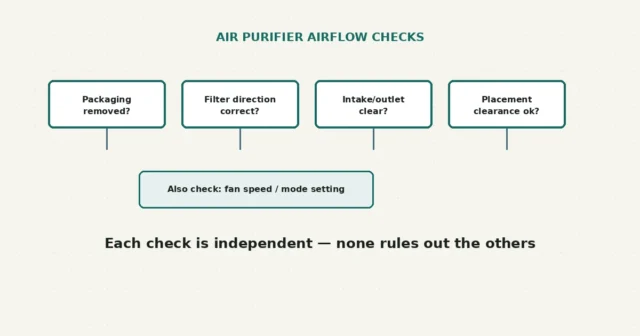
Check removable packaging, filter orientation, vent clearance and placement against the exact manual. Felt airflow does not prove filtration performance…
The accessible grille is one low-risk first check after the manual-required power isolation. A tissue test cannot measure airflow or…